Integration
Your entire PDF library in Claude.
Connect fastwrite once, then ask across every PDF in your project at the same time — even the long ones. Claude or ChatGPT searches your library and shows you the document and relevant page for each answer.
FASTEST WAY
Connect fastwrite in Claude
The link opens the fastwrite listing right inside Claude. Click “Connect” there and sign in with your fastwrite account.
Connect in ClaudeNo download · no config file · included in the free planStep-by-step guide ↓
FASTEST WAY
Connect fastwrite in ChatGPT
The link opens the fastwrite listing right inside ChatGPT. Click the plus there and sign in with your fastwrite account.
Connect in ChatGPTNo download · no config file · included in the free planStep-by-step guide ↓
Step by step in Claude
- 1Open “Customize” — In the Claude sidebar, click “Customize”.
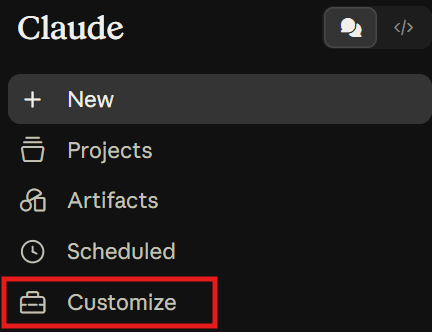
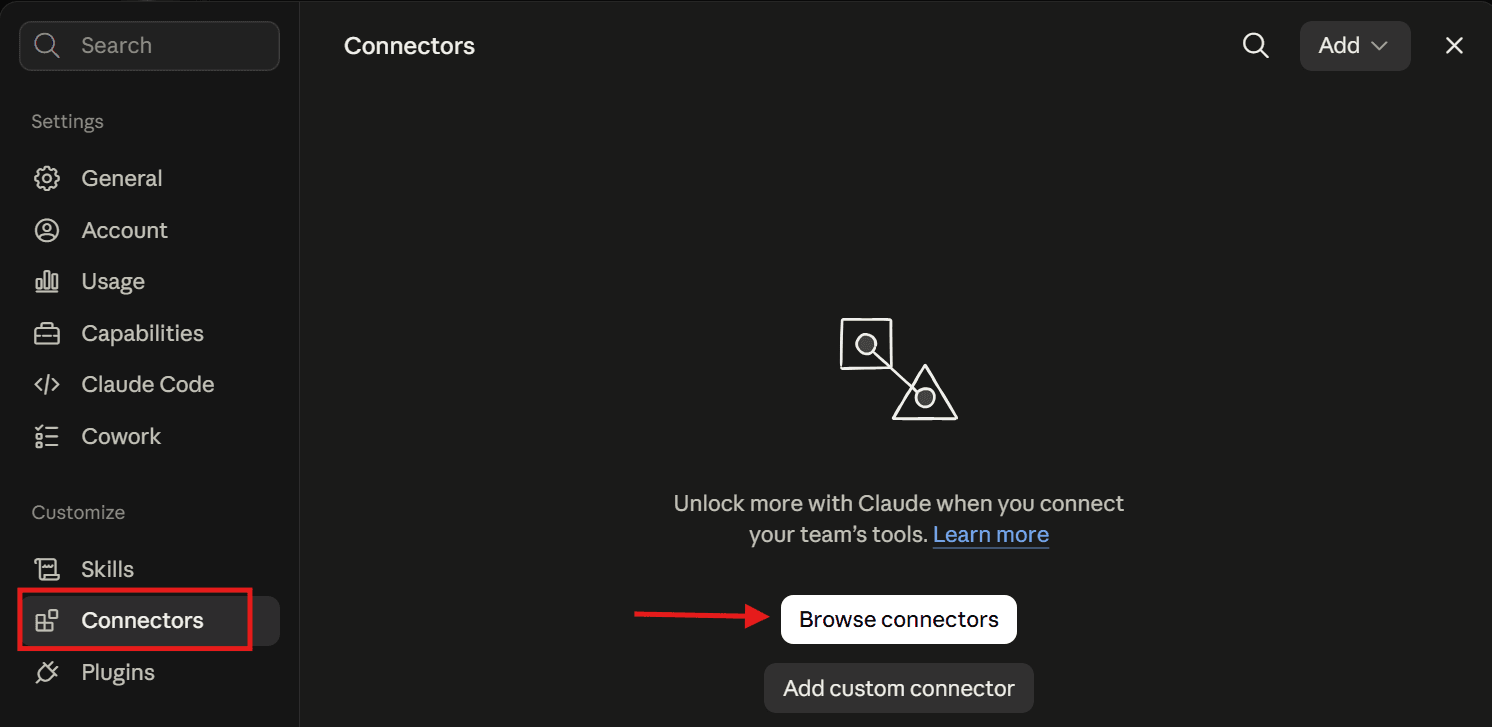
- 2Browse connectors — Pick “Connectors” in the settings and click “Browse connectors”.
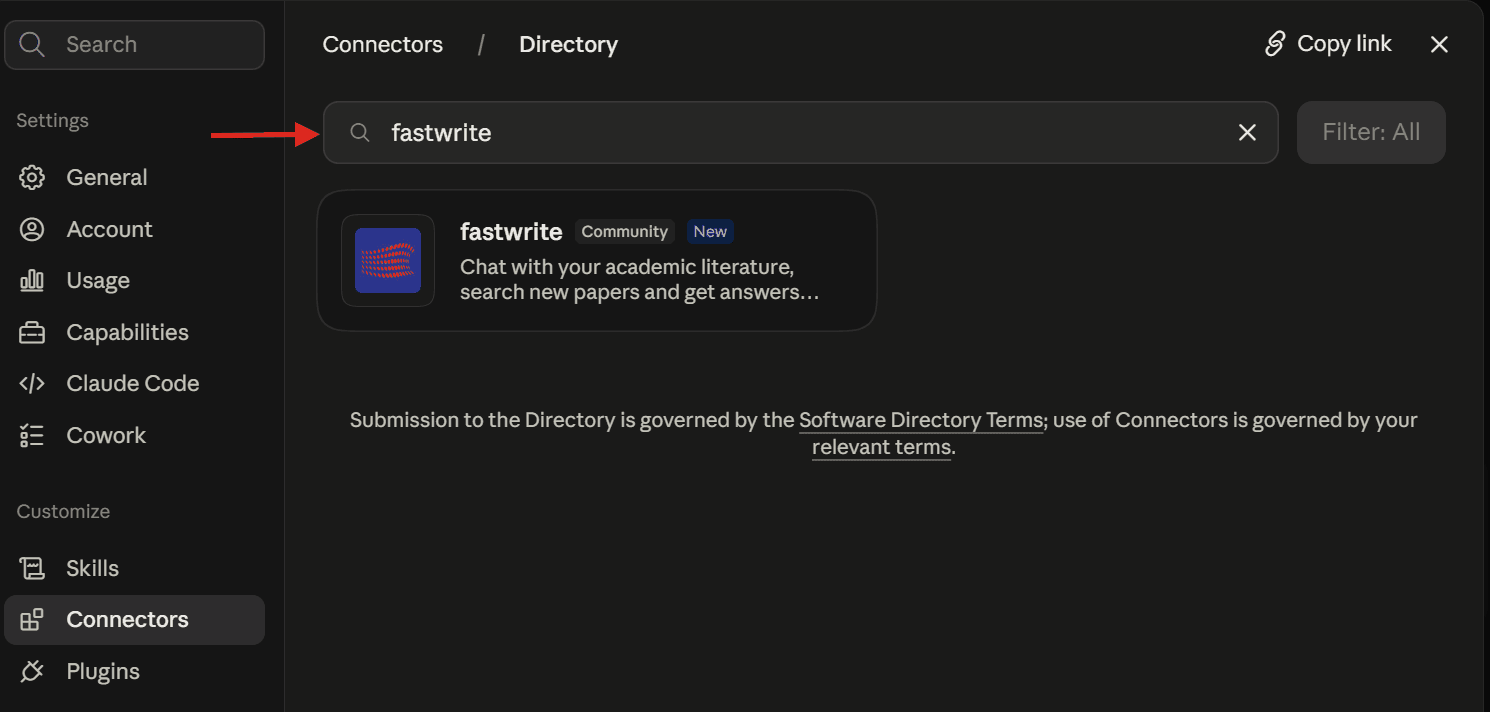
- 3Search for “fastwrite” — Type fastwrite into the search box and pick the connector from the directory.
- 4Connect & sign in — Click “Connect” and sign in with your fastwrite account — that's it. From now on Claude knows your sources.
Step by step in ChatGPT
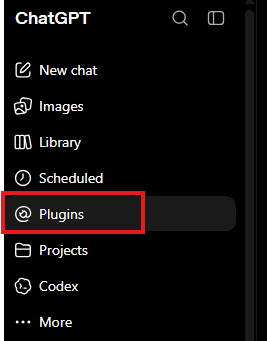
- 1Open “Plugins” — In the ChatGPT sidebar, click “Plugins”.
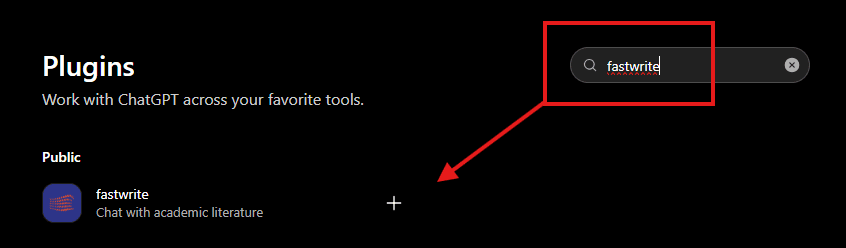
- 2Search for “fastwrite” — Type fastwrite into the search box and click the plus next to “fastwrite — Chat with academic literature”.
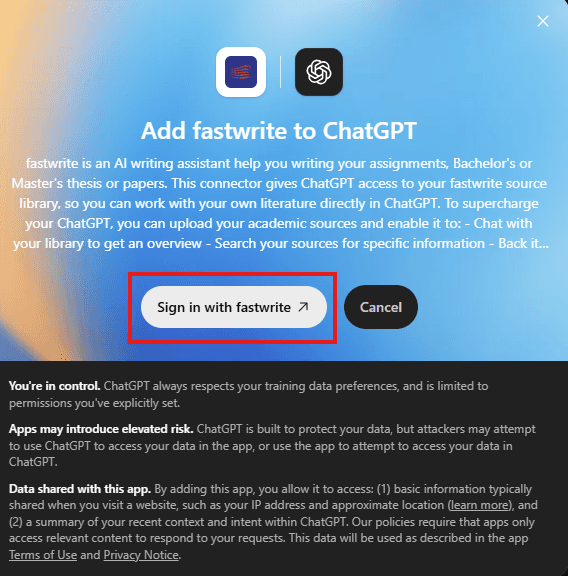
- 3Sign in with fastwrite — In the “Add fastwrite to ChatGPT” window, click “Sign in with fastwrite” and sign in with your fastwrite account — that's it. From now on ChatGPT knows your sources.